slate · for windows and linux
A desktop for your notes and your apps.
Slate opens a folder and lays it out like a small desktop. Your files sit in the sidebar. Notes and apps open in tabs, or in windows of their own.
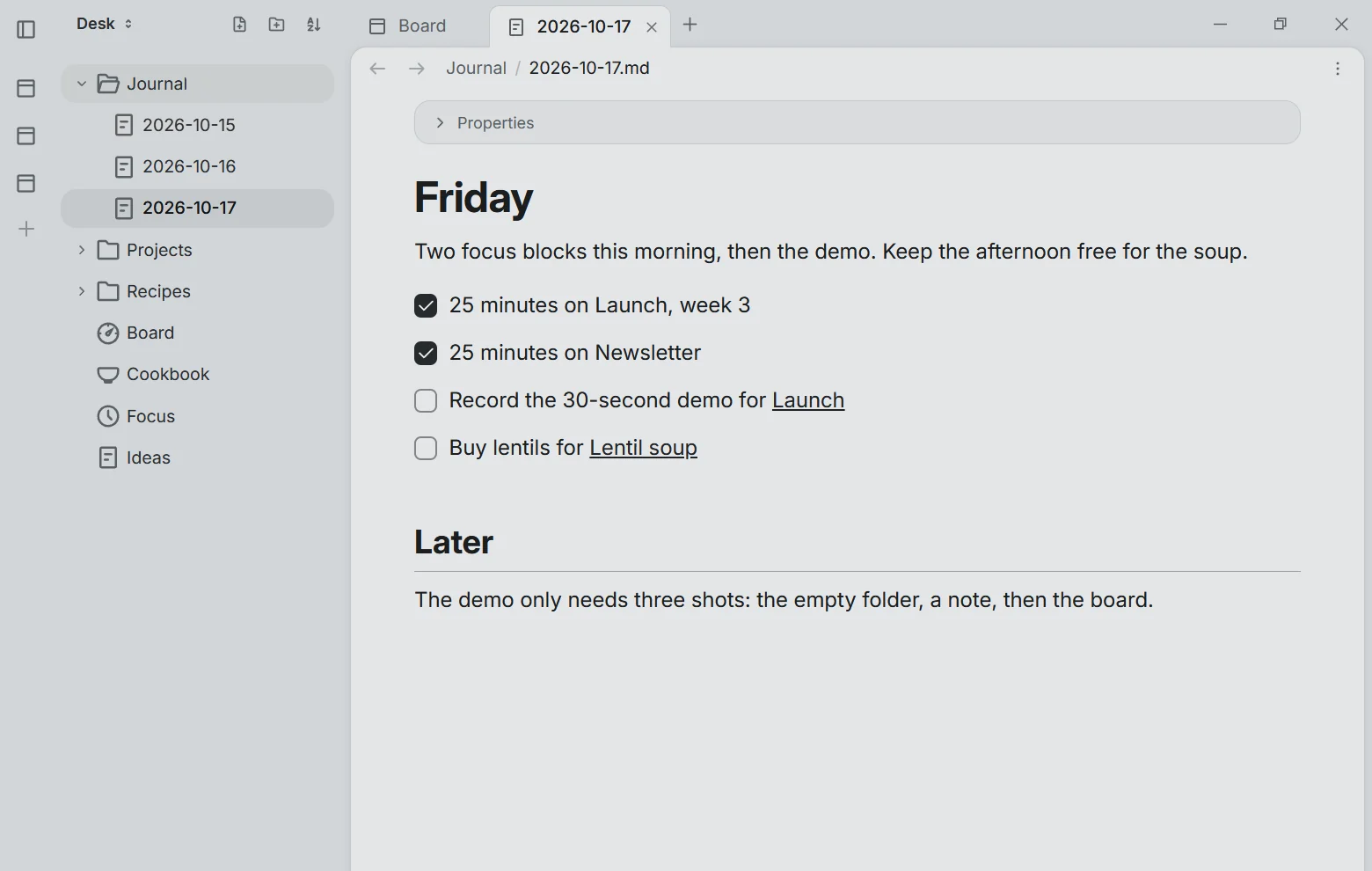
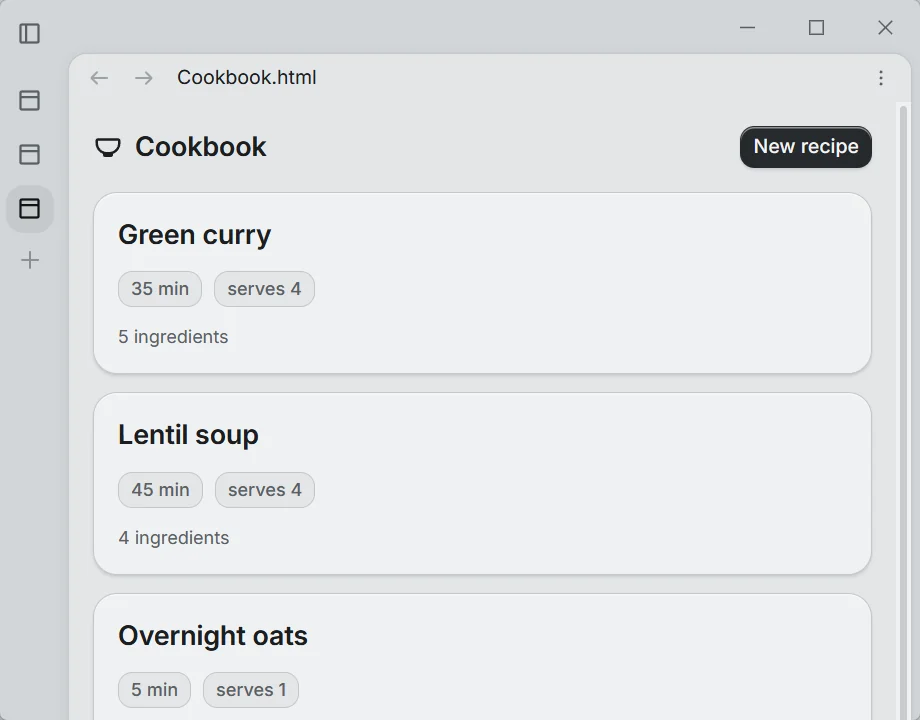
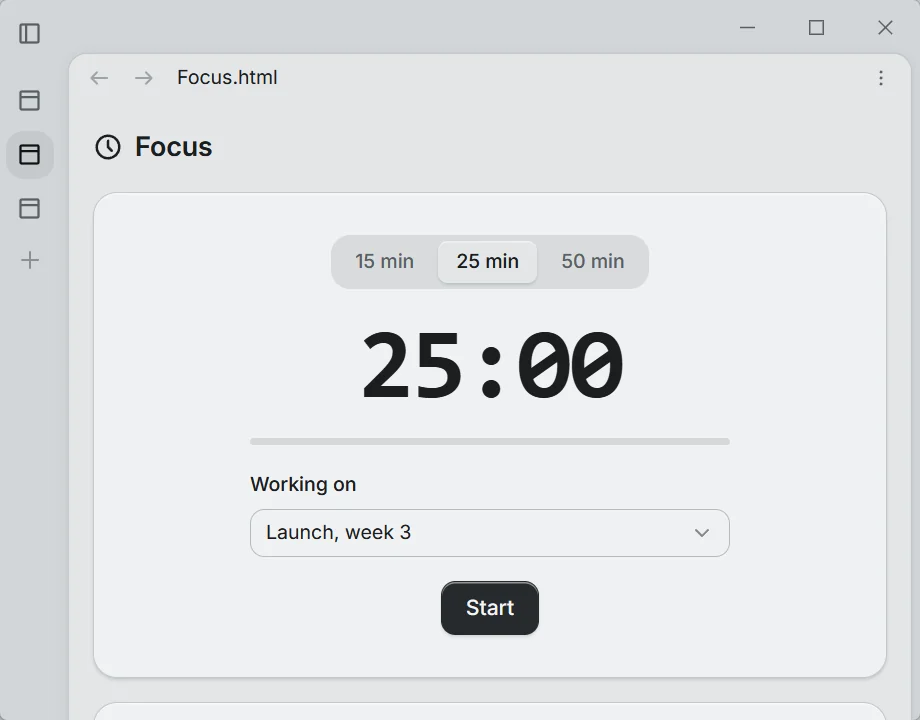
Real Slate windows. Today's note in the main window. Cookbook and Focus, two apps from the same folder, each moved into a window of its own.
simple first
Open a folder. Start writing.
That is the whole setup. No account. Nothing to import.
Every note is a Markdown file in the folder you picked. Open it in Slate, in any other editor, or ten years from now.
Desk/
├── Journal/
│   ├── 2026-10-15.md
│   ├── 2026-10-16.md
│   └── 2026-10-17.md
├── Projects/
├── Recipes/
├── Board.html
├── Cookbook.html
├── Focus.html
└── Ideas.md
# Friday

Two focus blocks this morning, then the demo. Keep the afternoon free for the soup.

- [x] 25 minutes on Launch, week 3
- [x] 25 minutes on Newsletter
- [ ] Record the 30-second demo for [[Launch]]
- [ ] Buy lentils for [[Lentil soup]]
then add apps
Apps open like programs.
An app is one HTML file in the same folder. It opens in a tab beside your notes, or in a window of its own. It reads and writes your notes, so Board fills itself from your project notes. Ask your agent for the tool you need and it writes one.
Three small example apps from the demo folder. Each is a single file.
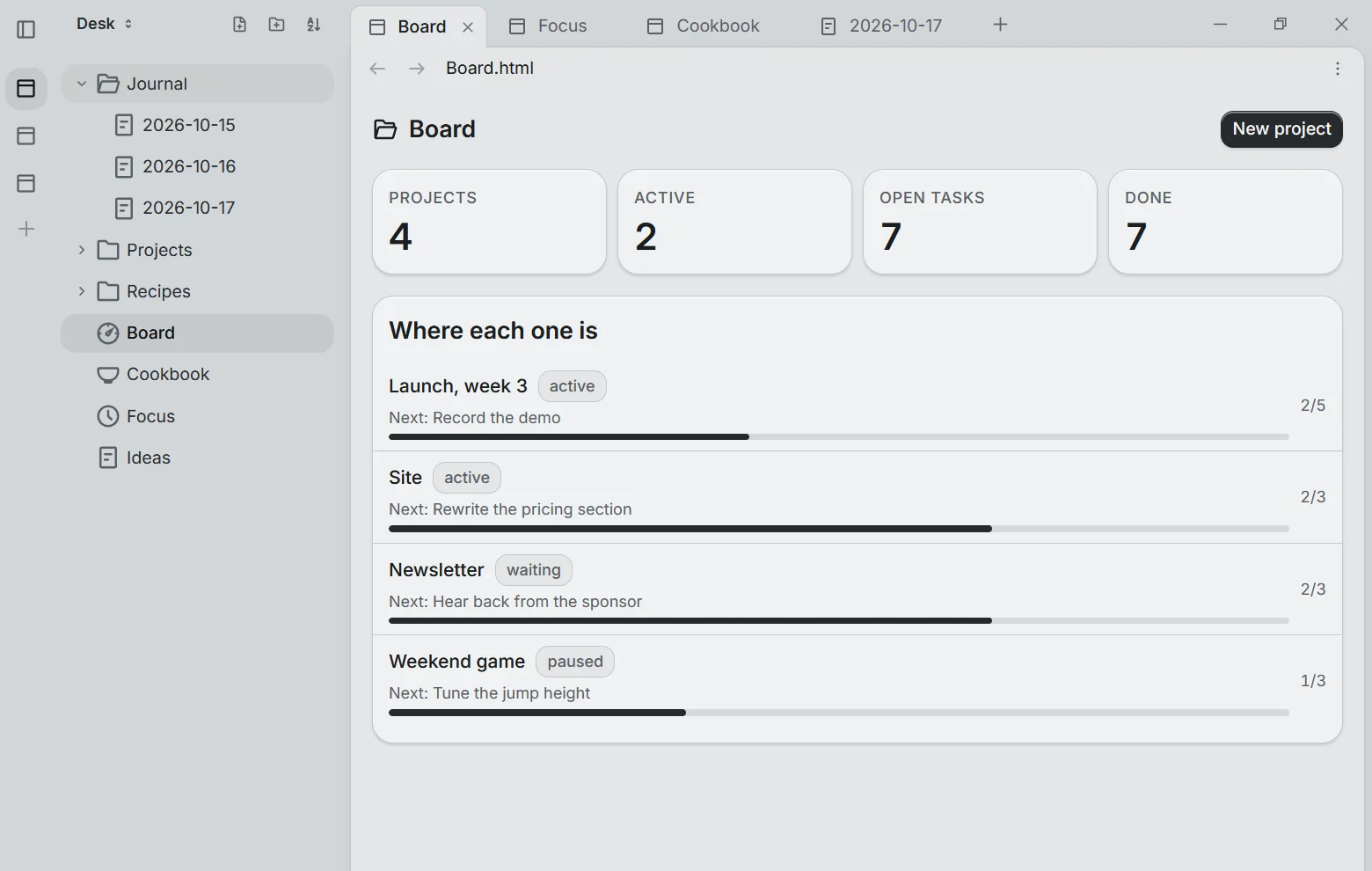
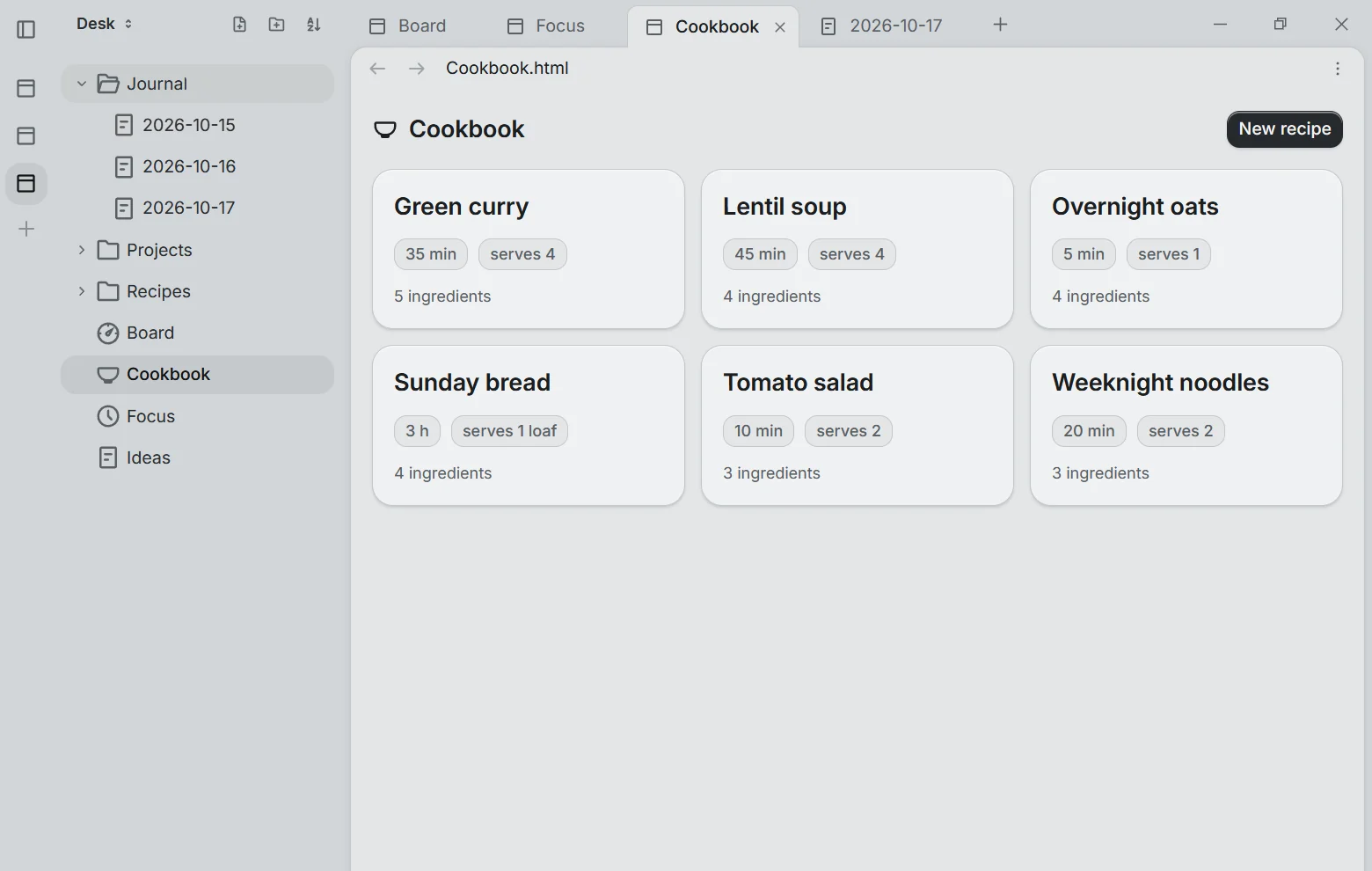
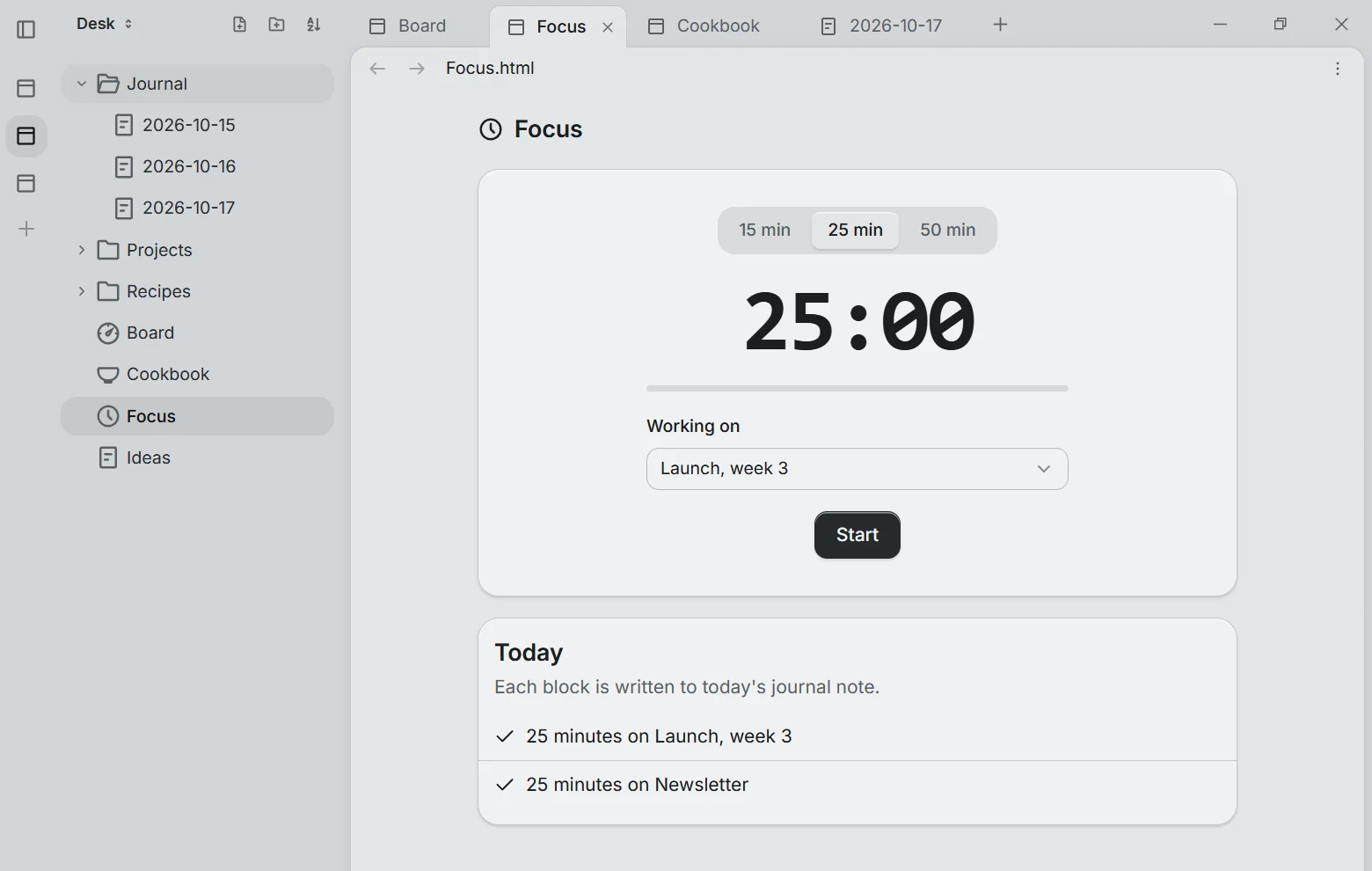
a desktop in a window
It works like the desktop you already know.
- files and folders
- The sidebar. Your folder, exactly as it sits on disk.
- windows
- Tabs. Notes and apps in one row of tabs. Move any tab into its own window.
- programs
- Apps. One HTML file each, right next to the notes they use.
- the dock
- The activity bar. Pin the apps you open every day.
- the start menu
- Ctrl+P. Type to open any file, app or setting.
built for agents
Your agent can use the desk too.
On a normal computer an agent has to take screenshots and click around. In Slate the notes, the apps and the scripts are all text in one folder. Your agent reads what you read and changes what you change, and you can see every edit.
- 01
Everything is a file
Notes, apps and scripts are plain files in your folder. Copy the folder and they all come with it.
- 02
You set the limits
An agent can see or drive Slate only if you switch it on: off, look, or look and act. A marker shows while it is on, Settings stay off-limits, and every action is logged.
- 03
Scripts on a schedule
"Every weekday at 7:00, write my brief." A schedule lives in the folder it belongs to and runs while Slate is open.
- 04
Synced with git
A project folder can sync to a git repo you own. Full history, no vendor server.
coming soon · opal
Opal, an agent for your desk.
Opal is coming to Slate: an agent that works in your folder, on the same notes and apps you use. Same files, nothing in between.
download
Open a folder. Build from there.
Slate installs in under a minute and updates itself. No account and no cloud: your folder stays on your disk, and sync goes through git repos you own. It checks in once a day with an anonymous install number, its version and your OS, so we can count active users. Switch that off in Settings → Privacy.
- …
- Windows 10 & 11, Linux (.deb or AppImage), x64
- Markdown notes, HTML apps, scripts
- None needed